Dapat Copas Dari Forum Sebelah Nih
Tested 100% Flash CDMA Nokia Locosto (ODM) 1508,2608 & 2228 + Step by Step
[IMG]file:///C:/DOCUME%7E1/User/LOCALS%7E1/Temp/moz-screenshot-2.png[/IMG]Mungkin dari rekan2 semua masih buanyak yg bingung gmn sich cara agar pc kita bisa konek dgn hp cdma locosto yg mau di flash...
Ada yg sdh pernah kasih solusi di forum2 tapi masih aja buanyak yg bingung,masalahnya ada yg bilang kok gak mau ter deteck juga di pc padahal
semua sw pendukung sdh ter instal dgn baik ada juga yg sdh terdeteck drivernya tapi msh gak bisa di buat flash...
trus terang awalnya saya juga sperti reken2 semua yg merasa sangat bingung,sampai2 saya juga sdh putus asah dan gak mau terima itu hp....cepech dechh.
padahal semua forum ada yg kasih langkah2nya tapi masih aja gak bisa...masalahnya yg kasih solusi tersebut gak bgt mendetail atau terperinci...hanya memberi
solusi kl hp tersebut sukses flash...trus terang kt juga gak tau itu bener atau salah atau juga bisa jd copas dari forum2 indo ataupun forum2 luar...kl itu kita gak faham.
Disini mari kita sama2 belajar apakah langkah atau solusi yg saya sertakan ok punya atau punya ok...kekekek
ok lah kalau begitu mari kita mulai langkahnya satu persatu..
Ohhh yahhh kalau bisa dan wajib bisa itu kompi kita mesti yg baru ter instal atau masih dlm keadaan bersih dari software2 hp contoh
sperti software nokia dan lainnya...ahhh yg penting bersihlah...gitu aja kok report ahhhh...
A . PERSIAPAN PERTAMA
1. support OS
Windows 2000 sp4,xp sp2,vista (32bit)
2. Minimum HW requirements
* CPU 1ghz
* Memori minimum 1 gb
* Hard disk : more than 200mb available
3. Uninstall care suite dan plug-in components (IMPORTANT)
* Delete C:\Program Files\Common Files\Nokia\Service Layer\C (kalau ada)
* Delete C:\Documents and Settings\All Users\Application Data\Nokia\Nokia Care Suite (kalau ada)
* Delete C:\Documents and Settings\All Users\Application Data\Nokia\Nokia Service Layer\C (kalau ada)
4. Install Software pendukung
* Install Microsoft Visual C++2005 Redistributable
5. Restart PC
B . PERSIAPAN KEDUA
1.Install of Net Framework 4.0 (One Time Only)
2.Install "dotnetfx.exe"
3.Restart PC
C . PERSIAPAN KETIGA
1.Installation of Nokia Care Suite
2.Restart PC
D. PERSIAPAN KEEMPAT & TERAKHIR
1.Installation of USB Driver (winusbd_2.0.13.msi)
2.Installation path C:\Program Files\Nokia\Nokia CDMA Mobile Device
3.Restart PC
Semua Software yg dibutuhkan sdh buanyak di upload oleh rekan2 kita semua yg ada di forum forum manapun...
Jadi saya cuman memberi langkah agar bisa software kita bekerja dgn yg semestinya...kekekek
Tested by 100%
2228
2608
Bagi yg sdh mencoba mohon di post disini aja yah...biar kita sama tau dmn kekurangan step by step tersebut...salam
Tampilkan postingan dengan label nokia. Tampilkan semua postingan
Download Hot Komplit Firmware Nokia N8 China
N8 China Firmware Single SIM 64MB NAND FLASH
N8 China Firmware Dual SIM 64MB NAND FLASH [OK] Fixed
N8 China Firmware Dual SIM 128MB NAND FLASH
N8 SLD35_09A_BOOTLOADER_V005_MT6235B_SH8-CN3_SW_TOS_V005.bin dual GSM 128MBN8 China Firmware Dual SIM, 5 SYSTEM 64MB NAND FLASH
NOKIA N8 SLD35_09A_BOOTLOADER_V005_MT6235B_SH8-CN3_SW_TOS_V009.bin
Codename: K82_V05_20110613_FL_OWN_TOSB NOKIA N8 China MT6253
Flash Chip: TOSHIBA TC58FYM7T8C NOR 16MB
MS_Board: BXWY53_09A_HW
N8 Dual Sim NOR HXA83_09B_PCB01_GPRS_MT6253_S00.TFA84_AP10_NK2_GS_SD_V1_1ATEST
N8 ZHA85_AR6_NT62_SD_V2.3ATEST
Flash Chip: TOSHIBA TC58FYM7T8C NOR 16MB
MS_Board: BXWY53_09A_HW
N8 Dual Sim NOR HXA83_09B_PCB01_GPRS_MT6253_S00.TFA84_AP10_NK2_GS_SD_V1_1ATEST
N8 ZHA85_AR6_NT62_SD_V2.3ATEST
http://boongel.blogspot.com/-
china -,
download -,
firmware -,
hot -,
Komplit -,
N8 -,
nokia -
di
08.42
0
komentar
Senin, 28 Januari 2013
china -,
download -,
firmware -,
hot -,
Komplit -,
N8 -,
nokia -
Diposting oleh
Rohmansyah
Download Firmware Nokia China N9 RM-233
http://boongel.blogspot.com/-
china -,
download -,
firmware -,
N9 -,
nokia -,
RM-233 -
di
08.37
0
komentar
china -,
download -,
firmware -,
N9 -,
nokia -,
RM-233 -
Diposting oleh
Rohmansyah
Download Firmware Nokia N9 New
Firmware Download
NOKIA N9 NEW SLD35_09A_BOOTLOADER_V005_MT6235B_SH88-CN3_SW_TOS_V001
download -,
firmware -,
N9 -,
New -,
nokia -
Diposting oleh
Rohmansyah
Tested 100% Flash CDMA Nokia Locosto (ODM) 1508,2608 & 2228 + Step by Step
http://boongel.blogspot.com/-
(ODM) -,
1508 -,
2228 -,
2608 -,
CDMA -,
Flash -,
Locosto -,
nokia -,
Step by Step -,
Tested 100% -,
update -
di
04.12
0
komentar
Minggu, 06 Januari 2013
(ODM) -,
1508 -,
2228 -,
2608 -,
CDMA -,
Flash -,
Locosto -,
nokia -,
Step by Step -,
Tested 100% -,
update -
Diposting oleh
Rohmansyah
x3 charging semu
x3 charging semu (copas)
Masuk [COLOR=#009900 !important]Nokia[/COLOR] X3 Charging [COLOR=#009900 !important]jalan[/COLOR] pada bar [COLOR=#009900 !important]batt[/COLOR]. Tapi tidak naik voltagenya. Malah makin turun karna pemakain hp.
Langkah yg dilakukan
- Tes charging dgn usb, masuk selang beberapa saat muncul tulisan charging not support
- Tes charging menggunakan charge kecil nokia, masuk, Tapi tidak naik voltagenya. Malah makin turun karna pemakain hp
- Solusi ganti R2050
Masuk [COLOR=#009900 !important]Nokia[/COLOR] X3 Charging [COLOR=#009900 !important]jalan[/COLOR] pada bar [COLOR=#009900 !important]batt[/COLOR]. Tapi tidak naik voltagenya. Malah makin turun karna pemakain hp.
Langkah yg dilakukan
- Tes charging dgn usb, masuk selang beberapa saat muncul tulisan charging not support
- Tes charging menggunakan charge kecil nokia, masuk, Tapi tidak naik voltagenya. Malah makin turun karna pemakain hp
- Solusi ganti R2050
Firmware N900 (RX-51)
RX-51_CARE_10.2010.19.1_v10.0_N900.zip | 118.26 MB | 22/12/12 | 9 |
RX-51_CARE_10.2010.19.1_v11.0_N900.zip | 118.32 MB | 22/12/12 | 6 |
RX-51_CARE_20.2010.36.2_v13.0_N900.zip | 251.21 MB | 24/12/12 | 16 |
RX-51_CARE_20.2010.36.2_v15.0_N900.zip | 126.53 MB | 24/12/12 | 3 |
RX-51_CARE_20.2010.36.2_v16.0_N900.zip | 126.52 MB | 24/12/12 | 47 |
RX-51_CARE_CUSTOMIZED_2.2009.51.1_v3_N900.zip | 315.01 MB | 28/12/12 | 67 |
Firmware N810 (RX-44)
| Name | Size | Date | Hits |
|---|---|---|---|
RX-44_N810_LV2_5.2008.43.7_v9.0_N810.zip | 88.68 MB | 22/12/12 | 10 |
RX-44_N810_combined_5.2008.43.7_v8.0_N810.zip | 88.68 MB | 22/12/12 | 10 |
download -,
firmware -,
nokia -
Diposting oleh
Rohmansyah
Firmware N800 (RX-34)
RX-34_N800_4.2008.36.5_v8.0_N800.zip | 100.09 MB | 22/12/12 | 9 |
RX-34_N800_5.2008.43.7_v9.0_N800.zip |
download -,
firmware -,
nokia -
Diposting oleh
Rohmansyah
Firmware Nokia Bi Only
Firmware Nokia E71 RM-346 V510.21.9 Bi Only
Firmware Nokia X2-01 RM-709 V8.63 Bi Only
Firmware Nokia E72 RM-530 V051.018 Bi Only
Firmware Nokia X2-00 RM-618 Bi Only
Firmware Nokia E90 RA-6 V7.40.1.2 Bi Only
Nokia E75 RM-412 V211.12.01 Bi Only
Nokia C5-02 RM-745 V071.003 Bi Only
Nokia C2-03 RM-702 V6.51 Bi Only
Firmware Nokia N97 RM-505 Bi Only
Firmware Nokia E72 RM-530 Bi Only
Firmware Nokia E63 RM-437 Bi Only
download -,
firmware -,
nokia -
Diposting oleh
Rohmansyah
Phoenix Service Software 2012.04.003.47798 Cracked [NEW]
Main component versions in the release:
• Product API 2012.2.2
• Nokia Connectivity Cable USB Driver Version 7.1.69.0
• Flash Update Package 2011.50
• FUSE Connection Manager v 2011.51
MAIN CHANGES & ERROR CORRECTIONS FROM PREVIOUS VERSION 2011.46.7.47652
Error Corrections & changes:
• New products: RM-852, RM-838, RM-843, RM-844, RM-787, RM-788, RM-789
Please note:
Energy Management Calibration should not be performed for products using the “Quantum” engine (RM-689, RM-702, RM-704 and other product using the same engine)
Supported operating systems and user rights
• Windows XP Service Pack 1 or higher
• When installing Phoenix into Win XP you must have local admin rights.
• When using in Win XP, user must have power user rights.
• Windows 7 32 Bit version
• Windows 7 64 Bit version (Please note that FLS-5 drivers do not support Win 7 64 bit OS, therefore FLS-5 can not be used in this operating system
Phoenix Service Software 2012.04.003.47798 Cracked [NEW] Download | 107,67 MB
uGenie versi 0.8
uGenie versi 0.8
Supported Models:
uGenie v 0.8 ready for download. What's new:
bb5all.exe versi 0.164
- Support for standalone SL3 log reading on RAPU CPUs with hash 25B9...
- Support for standalone SL3 log reading on RAPv4 CPUs with hash 7B04...
Multiphone reading in Auto mode is supported for those new hashes too. Just start in Auto
mode and all logs will be saved to the SD card.
Credits: Vesko & Stuny for the original Timer hack, DK for porting to those new CPUs
Download
Download Now
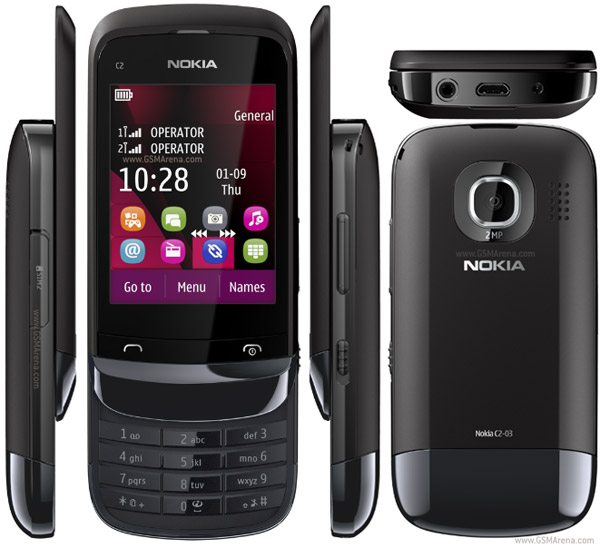
Nokia C2-03 backlight LED problem
Nokia C2-03 LCD Back Light LED Problem Solution
Since Nokia C2-03 is a slider phone and used a UI flex (flexible ribbon cable), that is use to connect the LCD screen display from the main PCB board. Now in fixing backlight problem on the display, we must always consider that the flex is vulnerable and may cause the problem.
Here' how to troubleshoot the Nokia C2-03 backlight LED problem:
For quick fix, on minor problem like if the phone status shows no indication of being wet by any liquid, free of oxidation build up or the PCB board is still clean.
- Check the Flex ribbon cable wire.. replace if damaged.
- Check/ try to replace the LCD screen, the white LED's on it may already been busted.
This figure shows the connection line paths of the backlight LED's on Nokia C2-03 UI flex cable. There are two white LED's also mounted on both sides of the top part of the flex. This two LED's were also connected to the inner backlight LED's of the LCD screen.
Take note: the LCD's backlight is also connected in parallel circuit like the two LED's on the flex - meaning if that two LED's was still able to light up but not on the LCD, it means that the LCD's backlight LED is already busted. So check that out...

View in larger image.
The Nokia C2-03 backlight driver components.
In this figure shows the detailed components or parts that is called "LED driver circuit".
This will cause the display backlight loss if one of these components being damaged and or each of its connection line paths breakdowns. This circuit may only damaged if the device suffered wet or water damaged that resulted into oxidation build ups and then caused a short or open circuit.

view the larger image .
So, check out these parts:
- Clean these components surface if necessary.
- Check each of the filter coils first. Replace if found damaged.
- Trace the VLED and VBAT_BB connection line paths - point to point to the corresponding capacitors, filter coils and including down to the Flex pin connector.
schematic nokia c5-03 rm697 skema

Bagi yang butuh skematik dan service manualnya C5-03...silahkan brooo
schematic nokia c5-03 rm697 skema
Nokia C2-03 / Nokia C2-08 / Nokia C2-06 RM-702 06.97 Bi ONly

RM-702 SEAP_X_GOLDEN_STROKE_ID 059D469
RM702_059D469_06.97_017.vpl (3.87 kB)
RM702_059D469_06.97_017.dcp (12.25 kB)
rm702__06.97.mcusw (28.22 MB)
rm702__06.97.ppm_x (5.51 MB)
rm702__06.97.image_x_059D469 (12.59 MB)
P9448601dpi600.pcx (10.20 kB)
P9448601dpi600_label_layout.xml (2.21 kB)
RM702_059D469_06.97_017_signature.bin (3.17 kB)
RM-702 VAR SEAP-X ID CV CBLACK 059L128
RM702_059L128_06.97_003.vpl (3.92 kB)
RM702_059L128_06.97_003.dcp (12.27 kB)
rm702__06.97.mcusw (28.22 MB)
rm702__06.97.ppm_x (5.51 MB)
rm702__06.97_003.image_x_ctv_id_9l128 (14.72 MB)
RM702_059L128_06.97_003_signature.bin (2.51 kB)
RM-702 VAR SEAP-X ID CV GWHITE 059L129
RM702_059L129_06.97_003.vpl (3.92 kB)
RM702_059L129_06.97_003.dcp (12.27 kB)
rm702__06.97.mcusw (28.22 MB)
rm702__06.97.ppm_x (5.51 MB)
rm702__06.97_003.image_x_ctv_id_9l129 (14.72 MB)
RM702_059L129_06.97_003_signature.bin (2.51 kB)
RM-702 SEAP_X_BLUE_STROKE_ID 059L5N9
RM702_059L5N9_06.97_017.vpl (3.86 kB)
RM702_059L5N9_06.97_017.dcp (12.25 kB)
rm702__06.97.mcusw (28.22 MB)
rm702__06.97.ppm_x (5.51 MB)
rm702__06.97.image_x_059L5N9 (12.59 MB)
P9448601dpi600.pcx (10.20 kB)
P9448601dpi600_label_layout.xml (2.21 kB)
RM702_059L5N9_06.97_017_signature.bin (3.17 kB)
RM-702 SEAP_X_RED_STROKE_ID 059L5Q3
RM702_059L5Q3_06.97_017.vpl (3.86 kB)
RM702_059L5Q3_06.97_017.dcp (12.25 kB)
rm702__06.97.mcusw (28.22 MB)
rm702__06.97.ppm_x (5.51 MB)
rm702__06.97.image_x_059L5Q3 (12.59 MB)
P9448601dpi600.pcx (10.20 kB)
P9448601dpi600_label_layout.xml (2.21 kB)
RM702_059L5Q3_06.97_017_signature.bin (3.17 kB)
RM-702 SEAP_X_WHITE_STROKE_ID 059L5R5
RM702_059L5R5_06.97_017.vpl (3.86 kB)
RM702_059L5R5_06.97_017.dcp (12.25 kB)
rm702__06.97.mcusw (28.22 MB)
rm702__06.97.ppm_x (5.51 MB)
rm702__06.97.image_x_059L5R5 (12.59 MB)
P9448601dpi600.pcx (10.20 kB)
P9448601dpi600_label_layout.xml (2.21 kB)
RM702_059L5R5_06.97_017_signature.bin (3.17 kB)
RM-702 SEAP_X_BLACK_STROKE_ID 059L5S7
RM702_059L5S7_06.97_017.vpl (3.86 kB)
RM702_059L5S7_06.97_017.dcp (12.25 kB)
rm702__06.97.mcusw (28.22 MB)
rm702__06.97.ppm_x (5.51 MB)
rm702__06.97.image_x_059L5S7 (12.59 MB)
P9448601dpi600.pcx (10.20 kB)
P9448601dpi600_label_layout.xml (2.21 kB)
RM702_059L5S7_06.97_017_signature.bin (3.17 kB)

RM-702 SEAP_X_GOLDEN_STROKE_ID 059D469
RM702_059D469_06.97_017.vpl (3.87 kB)
RM702_059D469_06.97_017.dcp (12.25 kB)
rm702__06.97.mcusw (28.22 MB)
rm702__06.97.ppm_x (5.51 MB)
rm702__06.97.image_x_059D469 (12.59 MB)
P9448601dpi600.pcx (10.20 kB)
P9448601dpi600_label_layout.xml (2.21 kB)
RM702_059D469_06.97_017_signature.bin (3.17 kB)
RM-702 VAR SEAP-X ID CV CBLACK 059L128
RM702_059L128_06.97_003.vpl (3.92 kB)
RM702_059L128_06.97_003.dcp (12.27 kB)
rm702__06.97.mcusw (28.22 MB)
rm702__06.97.ppm_x (5.51 MB)
rm702__06.97_003.image_x_ctv_id_9l128 (14.72 MB)
RM702_059L128_06.97_003_signature.bin (2.51 kB)
RM-702 VAR SEAP-X ID CV GWHITE 059L129
RM702_059L129_06.97_003.vpl (3.92 kB)
RM702_059L129_06.97_003.dcp (12.27 kB)
rm702__06.97.mcusw (28.22 MB)
rm702__06.97.ppm_x (5.51 MB)
rm702__06.97_003.image_x_ctv_id_9l129 (14.72 MB)
RM702_059L129_06.97_003_signature.bin (2.51 kB)
RM-702 SEAP_X_BLUE_STROKE_ID 059L5N9
RM702_059L5N9_06.97_017.vpl (3.86 kB)
RM702_059L5N9_06.97_017.dcp (12.25 kB)
rm702__06.97.mcusw (28.22 MB)
rm702__06.97.ppm_x (5.51 MB)
rm702__06.97.image_x_059L5N9 (12.59 MB)
P9448601dpi600.pcx (10.20 kB)
P9448601dpi600_label_layout.xml (2.21 kB)
RM702_059L5N9_06.97_017_signature.bin (3.17 kB)
RM-702 SEAP_X_RED_STROKE_ID 059L5Q3
RM702_059L5Q3_06.97_017.vpl (3.86 kB)
RM702_059L5Q3_06.97_017.dcp (12.25 kB)
rm702__06.97.mcusw (28.22 MB)
rm702__06.97.ppm_x (5.51 MB)
rm702__06.97.image_x_059L5Q3 (12.59 MB)
P9448601dpi600.pcx (10.20 kB)
P9448601dpi600_label_layout.xml (2.21 kB)
RM702_059L5Q3_06.97_017_signature.bin (3.17 kB)
RM-702 SEAP_X_WHITE_STROKE_ID 059L5R5
RM702_059L5R5_06.97_017.vpl (3.86 kB)
RM702_059L5R5_06.97_017.dcp (12.25 kB)
rm702__06.97.mcusw (28.22 MB)
rm702__06.97.ppm_x (5.51 MB)
rm702__06.97.image_x_059L5R5 (12.59 MB)
P9448601dpi600.pcx (10.20 kB)
P9448601dpi600_label_layout.xml (2.21 kB)
RM702_059L5R5_06.97_017_signature.bin (3.17 kB)
RM-702 SEAP_X_BLACK_STROKE_ID 059L5S7
RM702_059L5S7_06.97_017.vpl (3.86 kB)
RM702_059L5S7_06.97_017.dcp (12.25 kB)
rm702__06.97.mcusw (28.22 MB)
rm702__06.97.ppm_x (5.51 MB)
rm702__06.97.image_x_059L5S7 (12.59 MB)
P9448601dpi600.pcx (10.20 kB)
P9448601dpi600_label_layout.xml (2.21 kB)
RM702_059L5S7_06.97_017_signature.bin (3.17 kB)
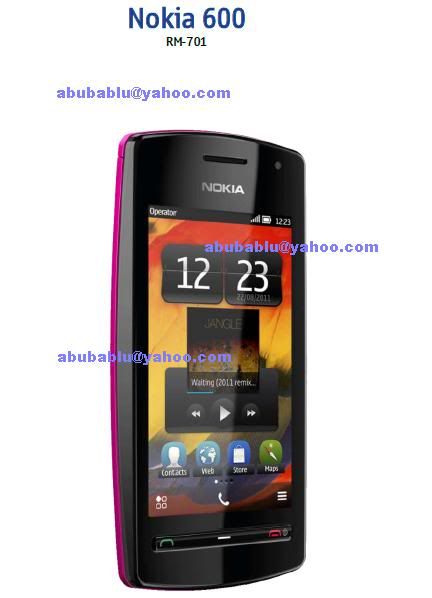
nokia 600 all new solution here 2012

bluetooth wlan, camerasolution, chargingnotsupported, erphone, insertsim, on off ways, speker, touch, vibrate, volume
nokia 600 all new solution.rar

bluetooth wlan, camerasolution, chargingnotsupported, erphone, insertsim, on off ways, speker, touch, vibrate, volume
nokia 600 all new solution.rar
Nokia C6 MIC, Mouthpiece Microphone problem solution
This solution may helpful to fix Nokia C6 microphone or mic mouthpiece problem. This problem occurs if the device flash firmware is corrupted or due to hardware failure.
Updating the device flash firmware may possibly help fix and solve the problem, but if it doesn't work
you may need to proceed into hardware repair and check certain components that holds for Nokia C6 microphone to work.
The solution below shows the location of the digital microphone module in Nokia C6 PCB board.
You may need to check or replace this components when found damaged or faulty.
Try to check the Mic data signal connection line paths including the microphone's supply voltage, before replacing the digital microphone module.
Updating the device flash firmware may possibly help fix and solve the problem, but if it doesn't work
you may need to proceed into hardware repair and check certain components that holds for Nokia C6 microphone to work.
The solution below shows the location of the digital microphone module in Nokia C6 PCB board.
You may need to check or replace this components when found damaged or faulty.
Nokia C6 MIC, Mouthpiece Microphone problem solution
Try to check the Mic data signal connection line paths including the microphone's supply voltage, before replacing the digital microphone module.
Langganan:
Komentar (Atom)


RX-51_CARE_10.2010.19.1_v10.0_N900.zip